Desk Panel MT4 InstaForex Never Appears
Trading PlatformWhy does the Desk Panel on my MT4 never show up? It used to be default on the USDJPY chart. But often accidentally clicked closed... it's really hard to bring up the DESK PANEL. Any help?
Thanks
4 Answer
Try it in MT4, click View above the market watch, then select the columns there.
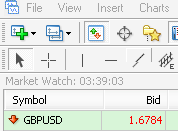
Thanks.
@Dominique Sarah: The desk panel feature is only available on the metatrader platform of Instaforex as it is installed by default when downloaded. To bring up the desk panel using mt4 Instaforex please right-click on the chart, click template then select Desk Panel.
Thank you
@Fahrurozi: There is a significant difference in appearance between the application on mobile phones and the native Windows or Mac application. To order panels on MetaTrader4 Android, see the instructions below.
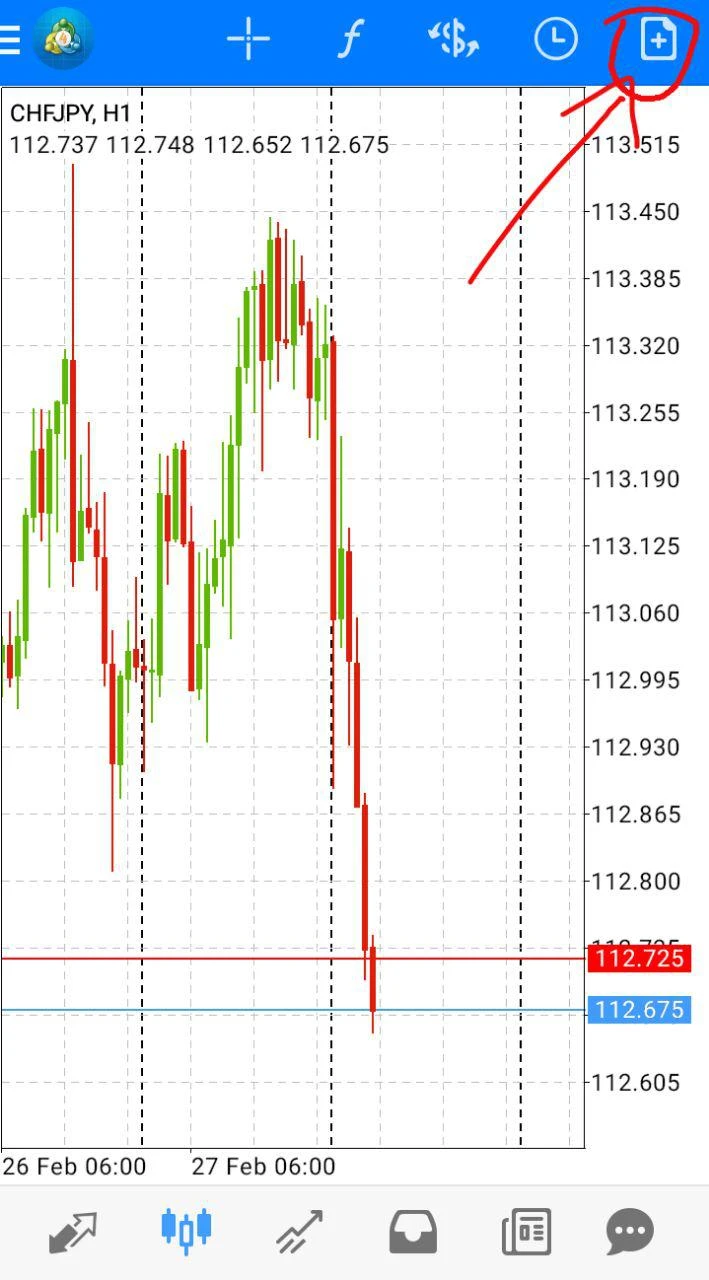
Click order located in the upper right corner.
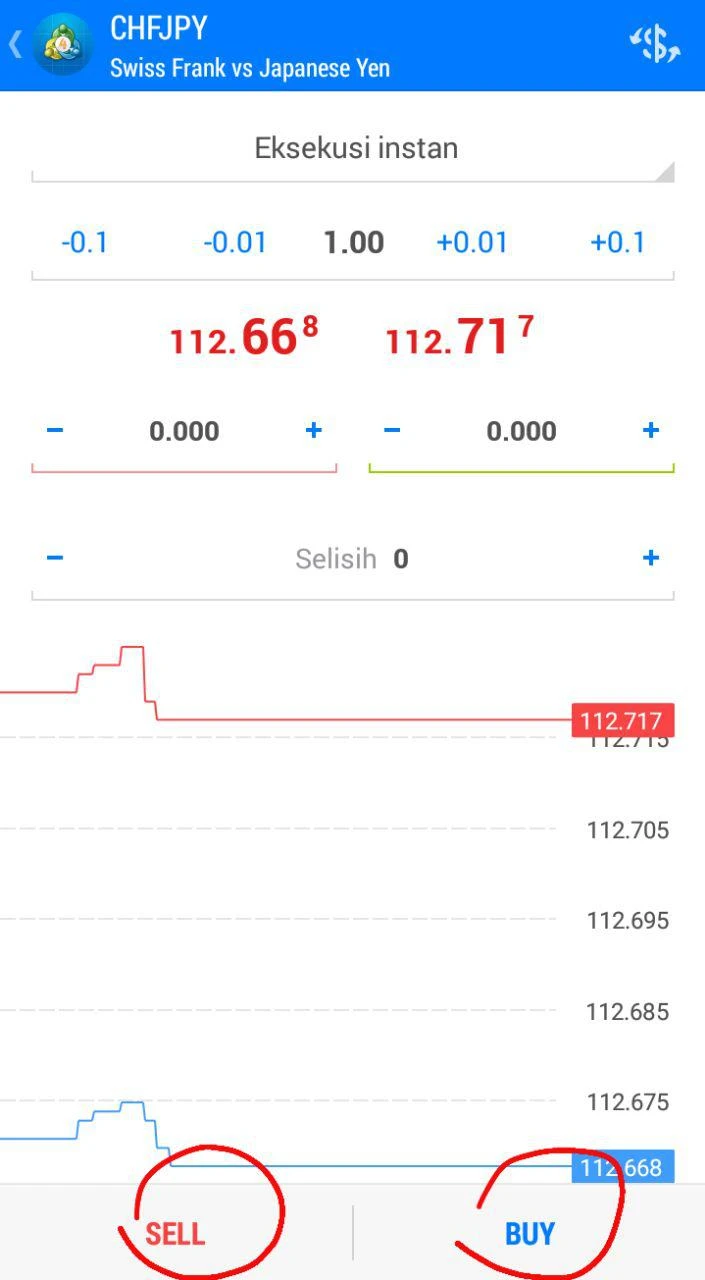
The volume selection in lots is located at the top, from the image above the volume used is 1 lot. Enter Stop Loss (SL) in the 0.000 writing on the left and Take Profit (TP) in the 0.000 box on the right. Finally, if the volume and SL and TP prices are correct, please click the sell or buy order below.
Add Answer
Forum InstaForex
view all-
Desk Panel MT4 InstaForex Never Appears
Trading Platform12 Year ago
-
Want to Ask About XM and InstaForex Broker Commissions
XM broker5 Year ago
-
Issue with the withdrawal method on Instaforex broker
Scam5 Year ago
-
No Margin Call on InstaForex demo account
Demo Accounts13 Year ago
-
Why can't I log in to instaforex
InstaForex broker9 Year ago
-
Can Instaforex Broker Be Trusted?
InstaForex broker14 Year ago
Testimonials InstaForex
view all-
I'm Satisfied With InstaForex
9 Year ago
-
Instaforex Is a Disappointment
10 Year ago
-
Thank God there are not many complaints
10 Year ago
-
InstaForex is Bookie Broker Isn't it?
10 Year ago
-
Don't Be Surprised If The Deposit Bonus Is Taken Again
11 Year ago
-
Funds Reduced After Unilaterally Disabled
11 Year ago
News InstaForex
view all-
InstaForex Breakthrough: Get a Deposit Bonus up to 1,000x with Account-X
2 Month ago
-
Flood of Prizes from InstaForex: Join the Triple Three Promo Now!
5 Month ago
-
Malaysian Regulator Places InstaForex on Warning List
1 Year ago
-
InstaForex Forex Broker Wins Award as Best Forex Broker in Latin America
2 Year ago
-
Discover Your Wealth: Experience the Grand Selection Showdown with InstaForex
2 Year ago
-
InstaForex Launches the Chancy Deposit Promotion
3 Year ago
Article InstaForex
view all-
Discovering InstaForex Features for Beginners
Other Axella Pips
-
How to Open an InstaForex Demo Account
Demo Accounts Atheana Xue
-
How to Register and Sign Up for InstaForex
Other Axella Pips
-
Choosing an InstaForex Trading Server
Other Axella Pips
-
InstaForex Forex Copy Facilities
Other Axella Pips
-
Free Forex Course by InstaForex Broker
Other Axella Pips