cTrader 5.0 Lands at IC Markets: A New Era for Algorithmic Trading
The race for smarter, faster, and more autonomous trading technology just took a major step forward. IC Markets has officially rolled out cTrader 5.0, the latest evolution of Spotware’s flagship platform, packed with tools designed to meet the rising demand for algorithmic trading, cloud-based execution, and highly customizable user experiences.
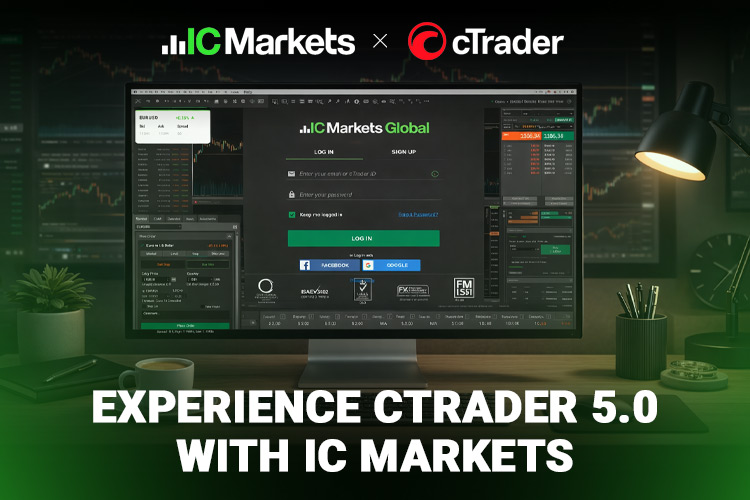
Algo trading has moved from niche to mainstream in recent years, driven by increasingly competitive markets and rapid advances in technology. Artificial intelligence, cloud infrastructure, and full-scale market digitization have reshaped how traders design, test, and deploy strategies. cTrader has long positioned itself as an all-in-one solution for discretionary and systematic traders alike. Now, version 5.0 raises that proposition significantly.
Released globally across Windows, Web, and Mobile, cTrader 5.0 introduces a suite of enhancements aimed at making professional-grade trading more accessible, flexible, and powerful. The key upgrades include:
- A newly built Algo Trading environment
- A redesigned and more responsive interface
- Advanced overlay indicator management
- Web-embedding widgets for external sites
As one of the first brokers to deploy cTrader 5.0 to clients, IC Markets places its users among the earliest adopters of this new generation trading infrastructure.
Why IC Markets Is Betting Big on cTrader 5.0
IC Markets has built its reputation around tight spreads, institutional-grade execution, and technology-driven trading conditions. Partnering with top-tier fintech developers has been central to that strategy — and its collaboration with Spotware on cTrader 5.0 continues that trajectory.
Spotware’s Head of Product, Dennis Kiseley, described the release as a milestone moment:
"We have completed our release process by delivering cTrader 5.0 to IC Markets Global, one of our key clients. The latest version marks a new chapter in the cTrader experience, offering a groundbreaking environment for algorithmic trading and advanced extensibility with plugins."
For IC Markets clients, the upgrade is expected to accelerate the adoption of systematic trading by lowering technical barriers and improving access to professional automation tools.
Inside cTrader 5.0: What’s New
A Dedicated Algo Trading Ecosystem |
The headline feature of cTrader 5.0 is the newly integrated cTrader Algo environment. Traders can now build, deploy, and manage algorithmic strategies — known as cBots — seamlessly across devices.
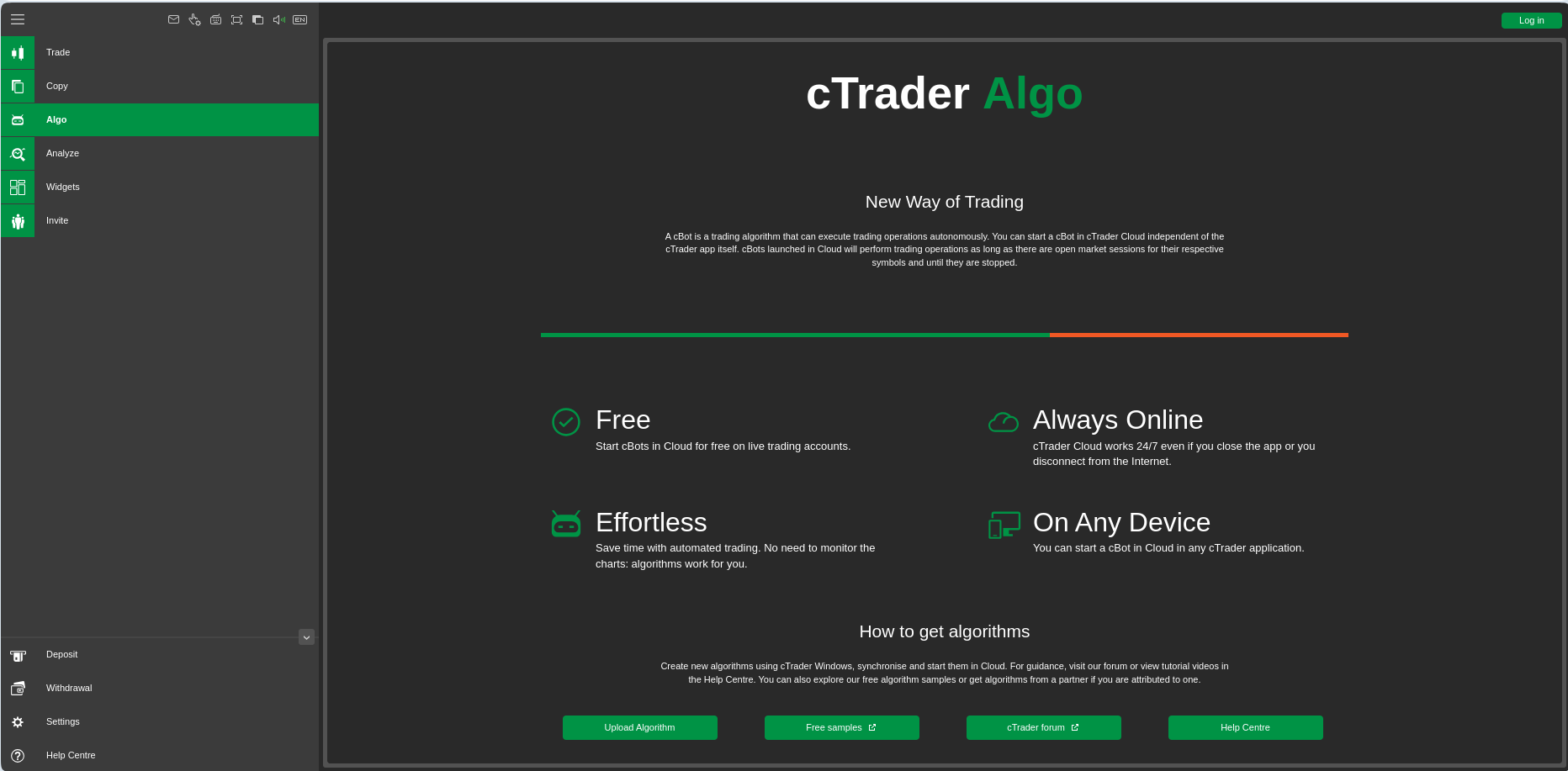
A cBot is an automated trading algorithm capable of opening and closing positions, setting stop losses, and executing predefined strategies without manual intervention. With cTrader Algo, users can:
- Monitor ROI performance per algorithm
- Customize algorithm avatars
- Define default parameters
- Share algorithms via direct links
- Grant other users access to cBots, indicators, and plugins
Crucially, cBots can now run in the cloud. That means algorithms remain active 24/7, independent of local devices or internet stability — ensuring uninterrupted execution even when the trader is offline.
Traders can develop cBots using a robust API and C# programming language, choose from free sample algorithms, or upload locally stored .algo files into cloud storage.
A Cleaner, Smarter User Interface |
Navigation has been refined across the platform. All essential trading functions are consolidated on the main screen, reducing friction for both beginners and professionals.
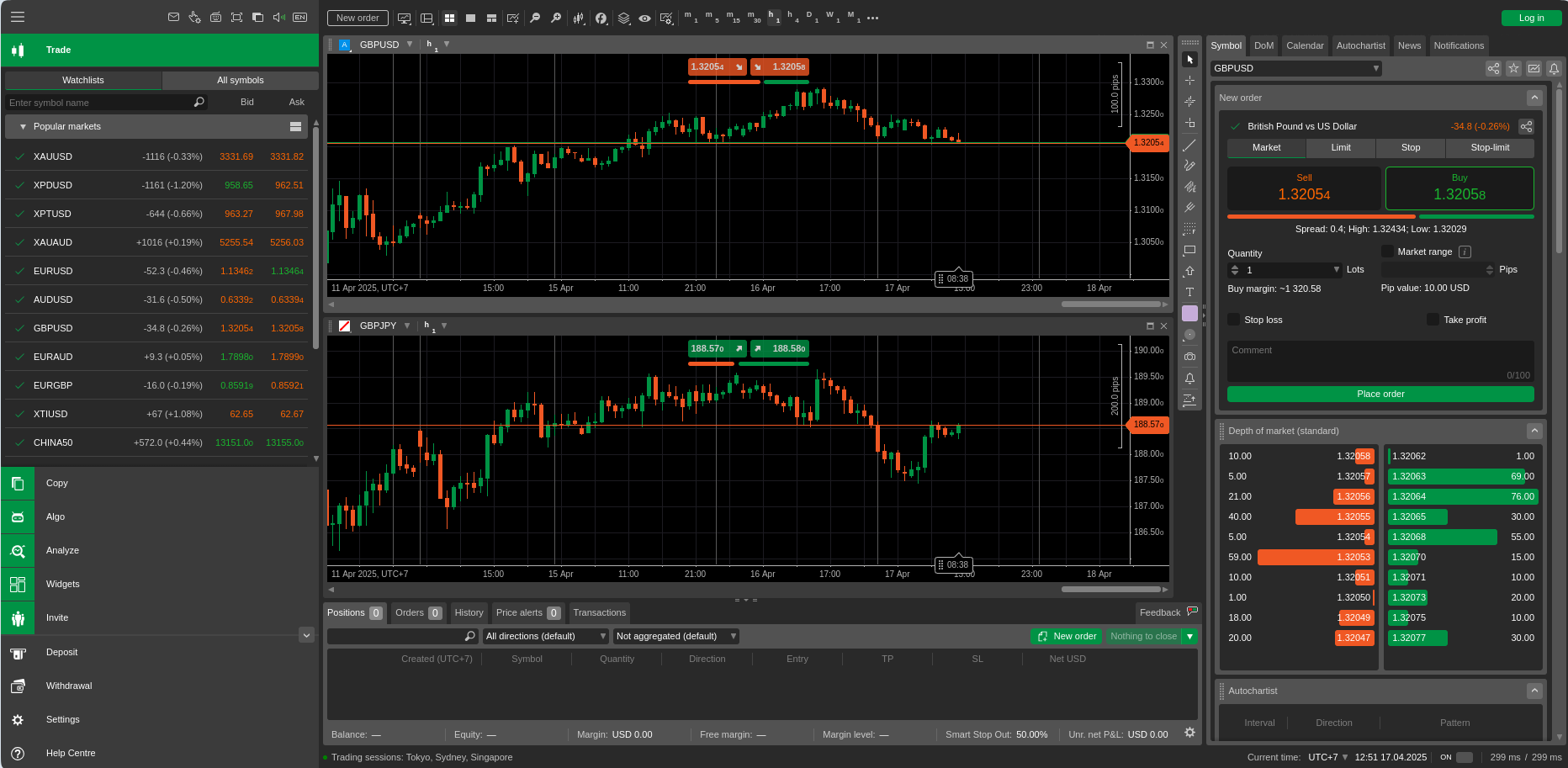
New interface upgrades include a real-time Notifications tab tracking session activity, persistent sub-menus that remain open until clicked away, keyboard-based symbol navigation in Watchlists, and faster access to indicators and chart tools.
These refinements improve workflow efficiency — especially for high-frequency and multi-market traders.
Advanced Overlay Indicator Control |
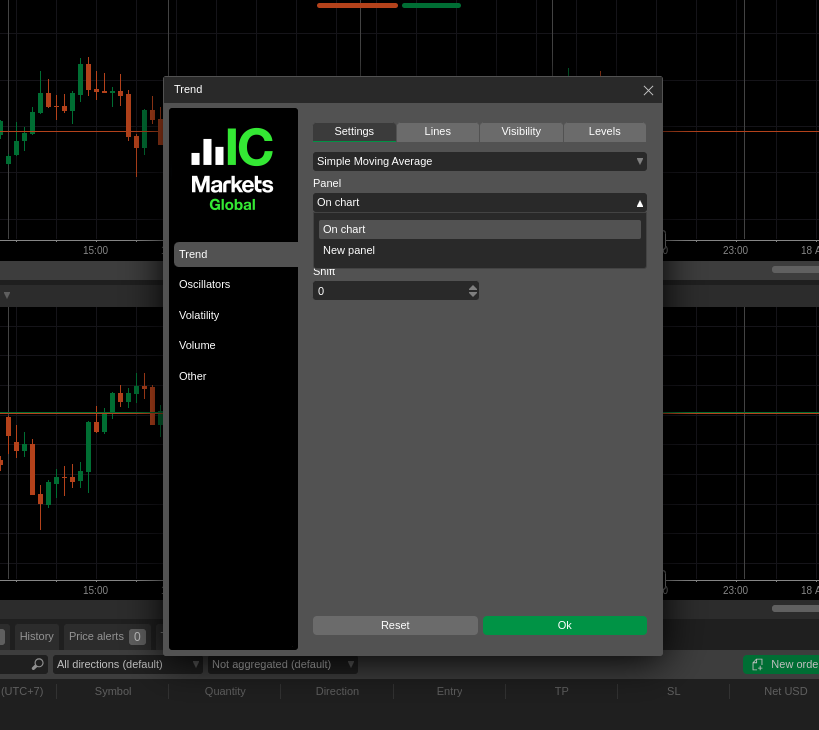
Previous versions restricted where indicators could be placed. cTrader 5.0 removes those limitations. As a result, traders can now:
- Overlay indicators directly onto price charts
- Display indicators in separate panels
- Combine multiple indicators within shared panels
This added flexibility allows for more sophisticated technical setups without cluttered layouts.
Full Multi-Language Support |
To serve its global client base, cTrader 5.0 now supports 20+ languages, including English, Arabic, Chinese, French, German, Spanish, Japanese, Korean, Indonesian, Turkish, Russian, and more. Language settings can be changed instantly from the toolbar.
Website Widgets: Bringing cTrader Beyond the Platform |
A standout innovation in cTrader 5.0 is its Widget System, enabling users to embed parts of the trading platform directly into external websites with simple copy-paste code.
Available widgets include:
cTrader Web Widget
Embed a fully functional cTrader Web platform into any site. Includes a guest mode that allows visitors to explore platform features — an effective marketing and onboarding tool.
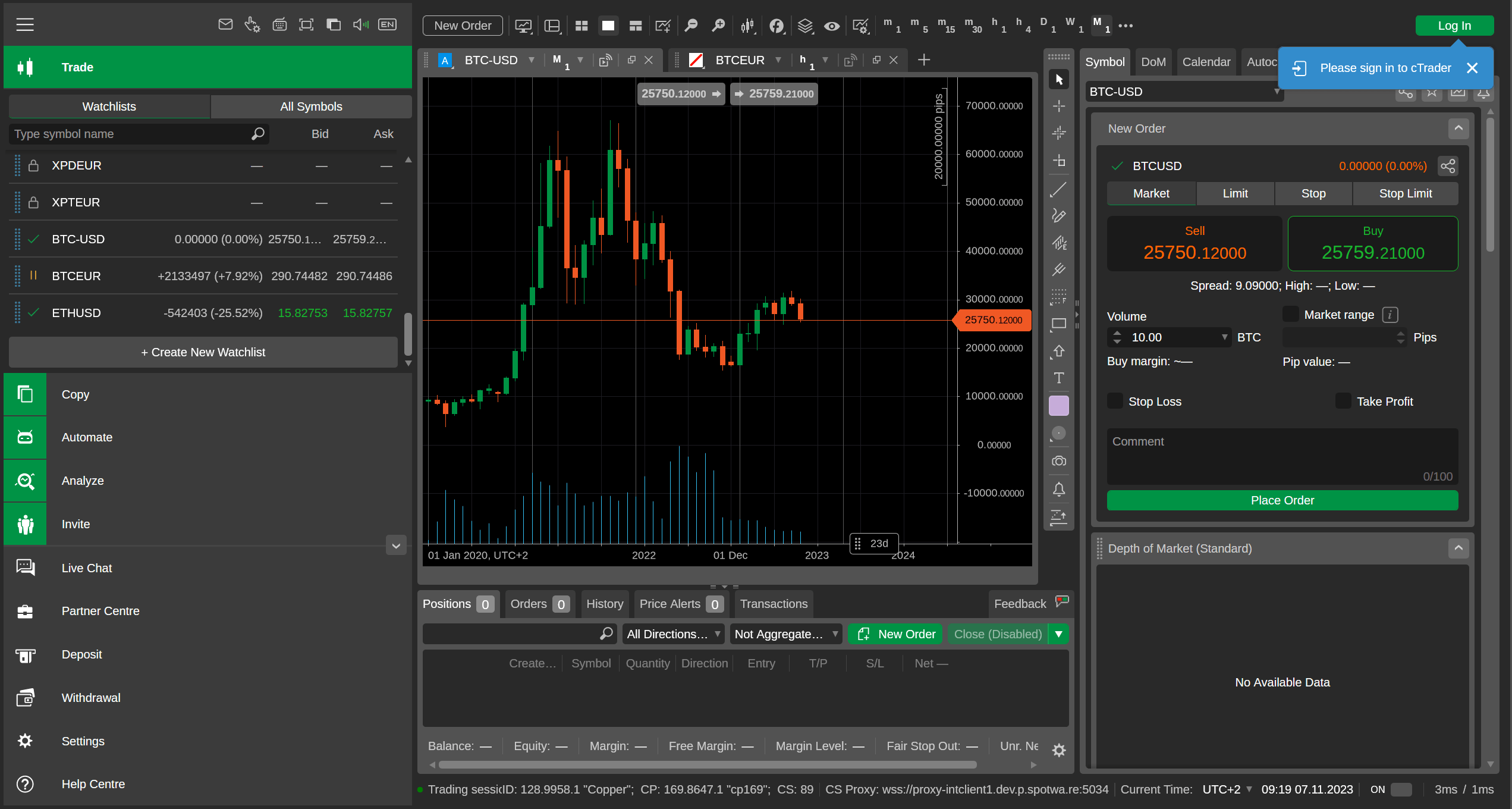
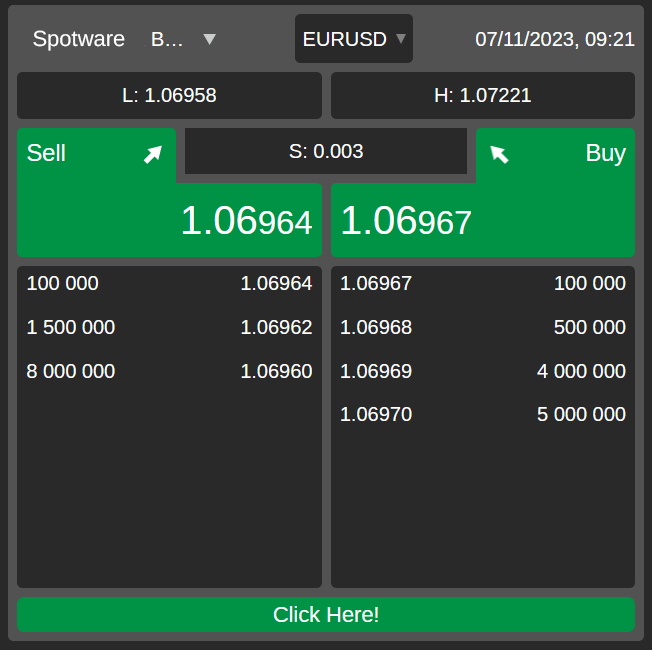
Market Watch Widget
Displays live market price feeds directly on a website.
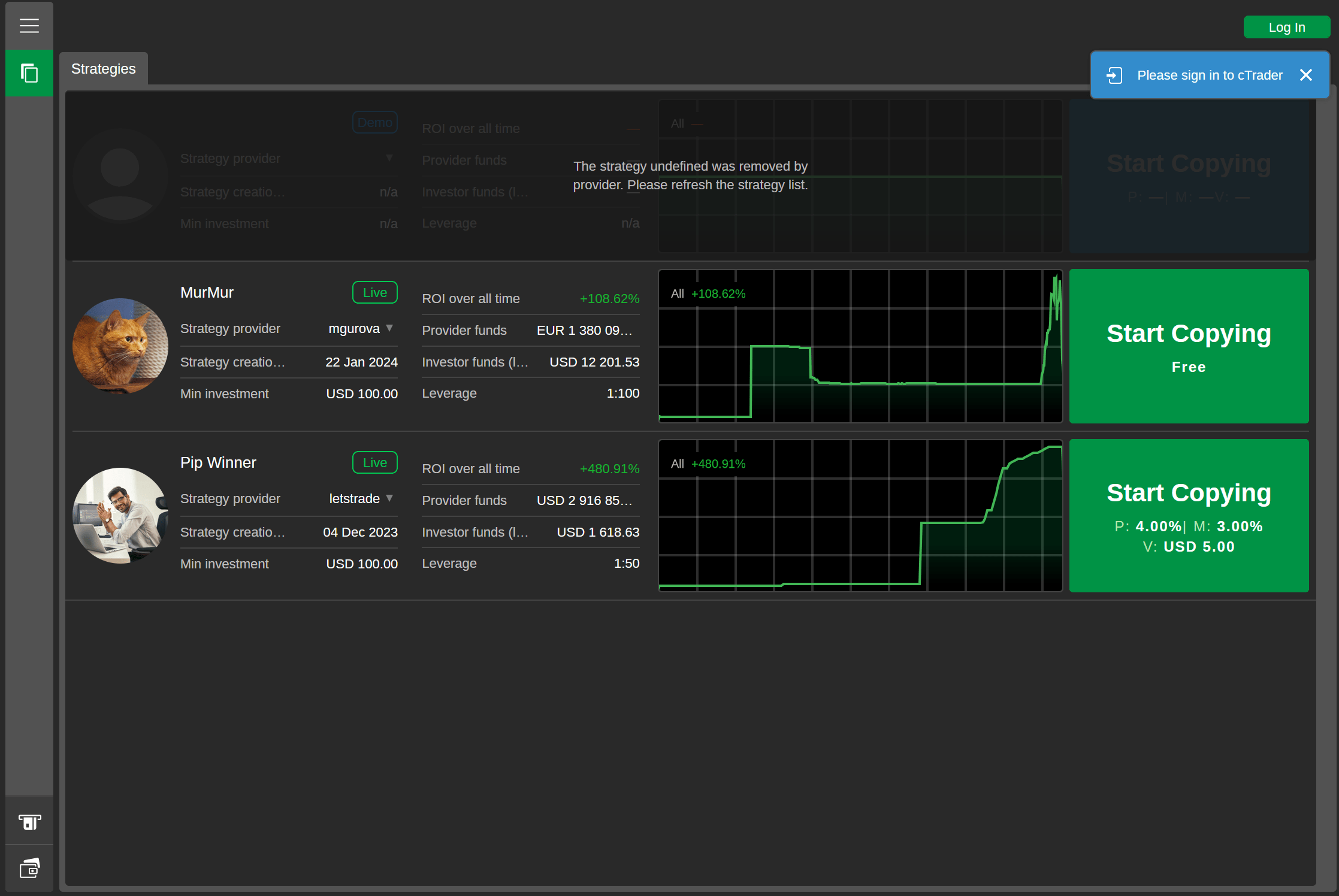
Your Strategies Widget
Showcases all copy-trading strategies from a trader's cTrader profile.
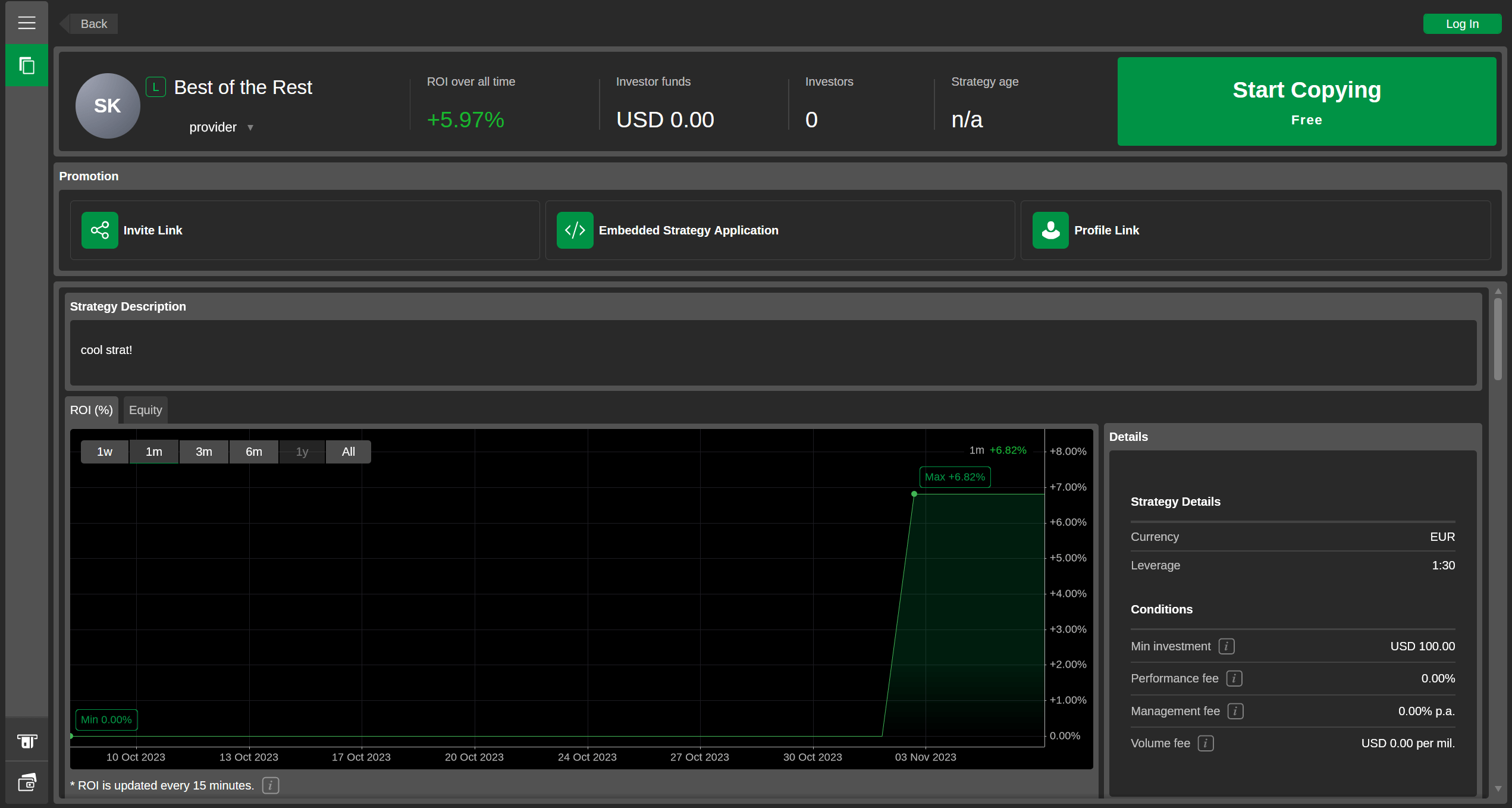
Single Strategy Widget
Allows visitors to view and copy a specific strategy without leaving the website.
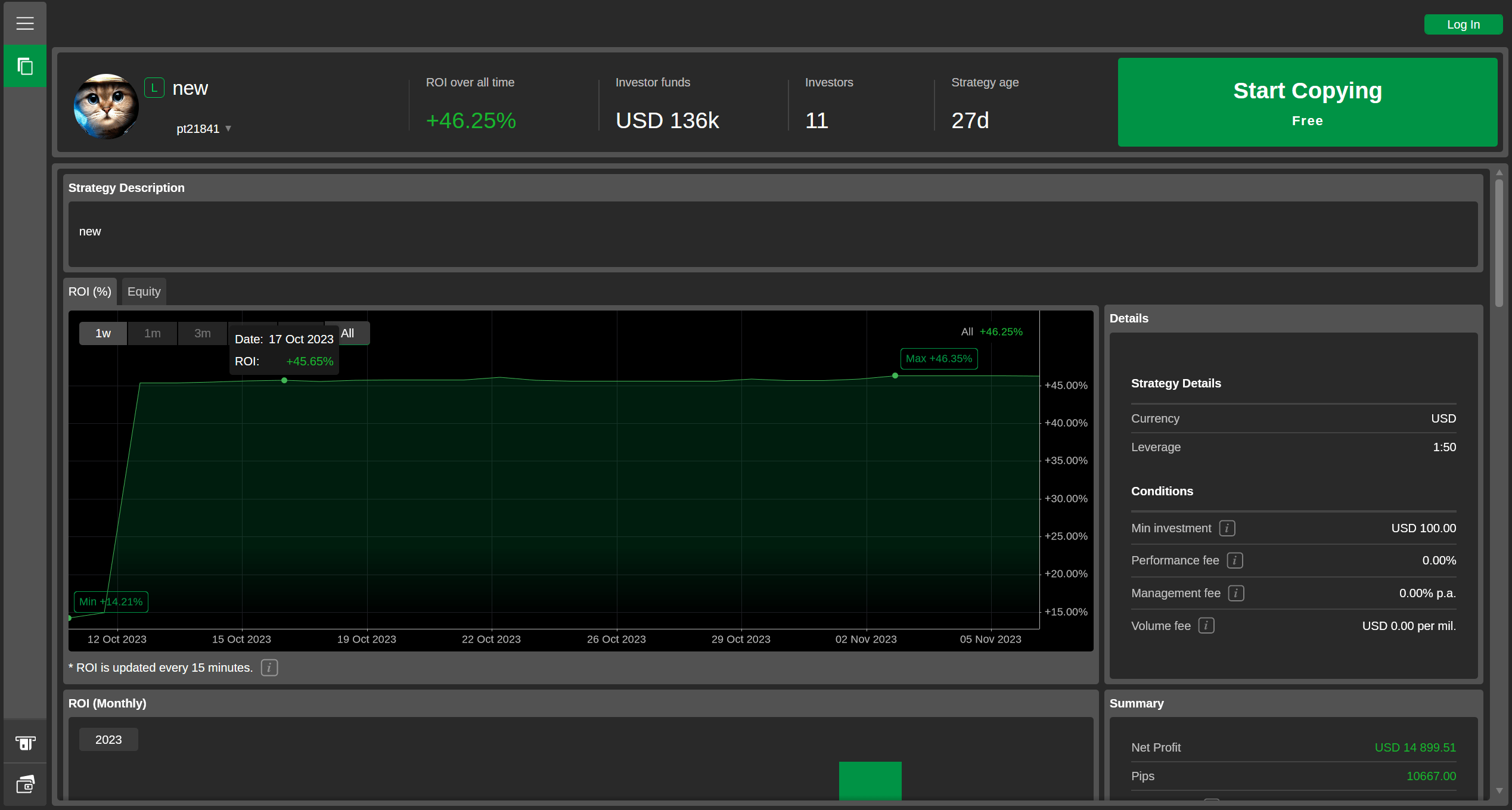
Multiple Strategies Widget
Embeds a curated list of strategies, automatically converting new copiers into invited traders.
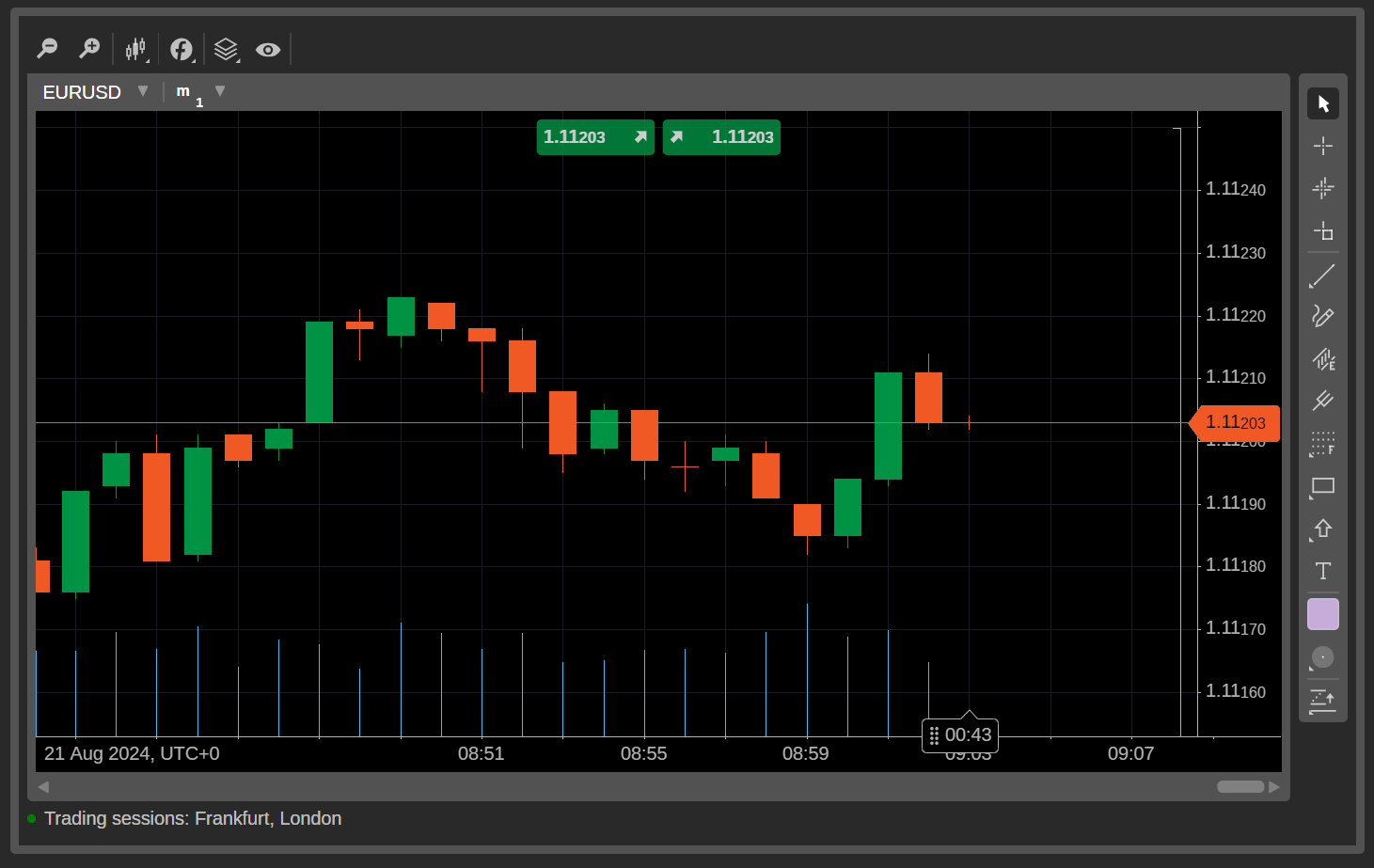
Market Charts Widget
Adds interactive cTrader charts to any webpage. Visitors can change symbols and chart settings without logging in. Clicking "Quick Trade" redirects them to cTrader Web to execute orders.
These integrations open new opportunities for educators, signal providers, and trading communities to expand their reach.
Powering Up Algo Trading with cTrader 5.0
For systematic traders, cTrader 5.0 introduces a professional-grade environment with minimal learning friction.
Algorithms are written in C#, a widely adopted programming language known for accessibility and versatility — even for those without prior coding experience.
Backtesting capabilities have also been enhanced with AI-ready historical simulations. Traders can test cBots against past market data and receive detailed reports, including:
- Equity curves
- Trading statistics
- Position logs
- Execution breakdowns
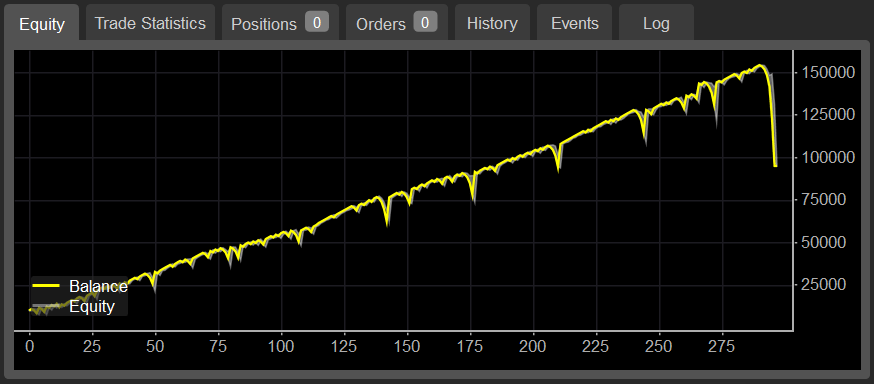
Two backtesting modes are available:
- Non-Real-Time Testing: Runs full simulations instantly and presents final results.
- Real-Time Testing: Replays historical data at adjustable speeds, allowing traders to observe strategy behavior live during simulation.
Additionally, external resources can be integrated through plugins, granting access to third-party services or extended cTrader functions. Traders can even embed news feeds or generative AI tools directly into the platform interface.
Running cBots: Step-by-Step
Deploying automated strategies is straightforward:
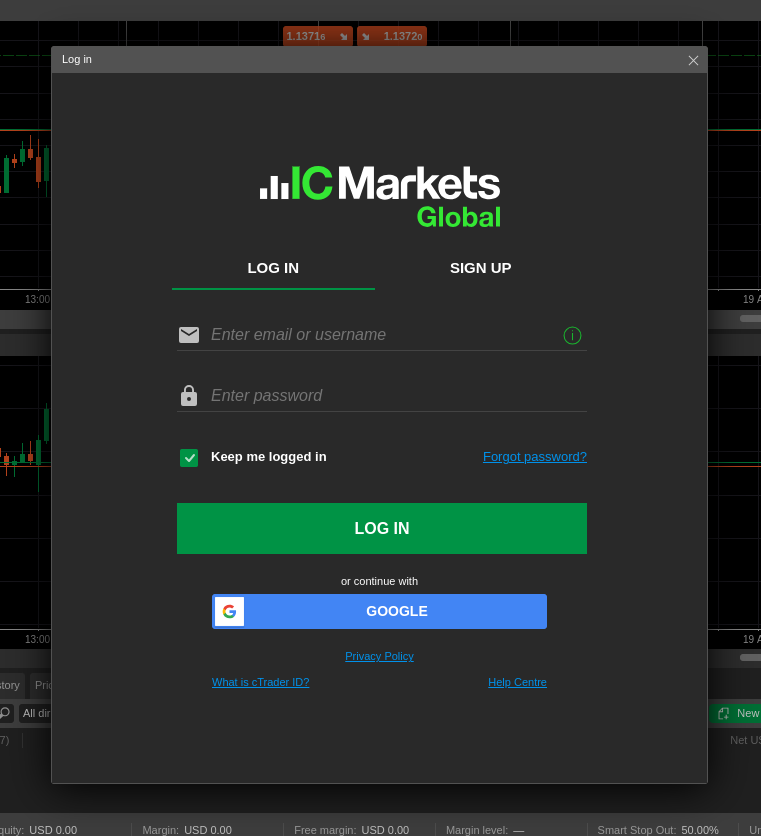
- Log in to IC Markets cTrader
- Add a cBot from your library or free samples
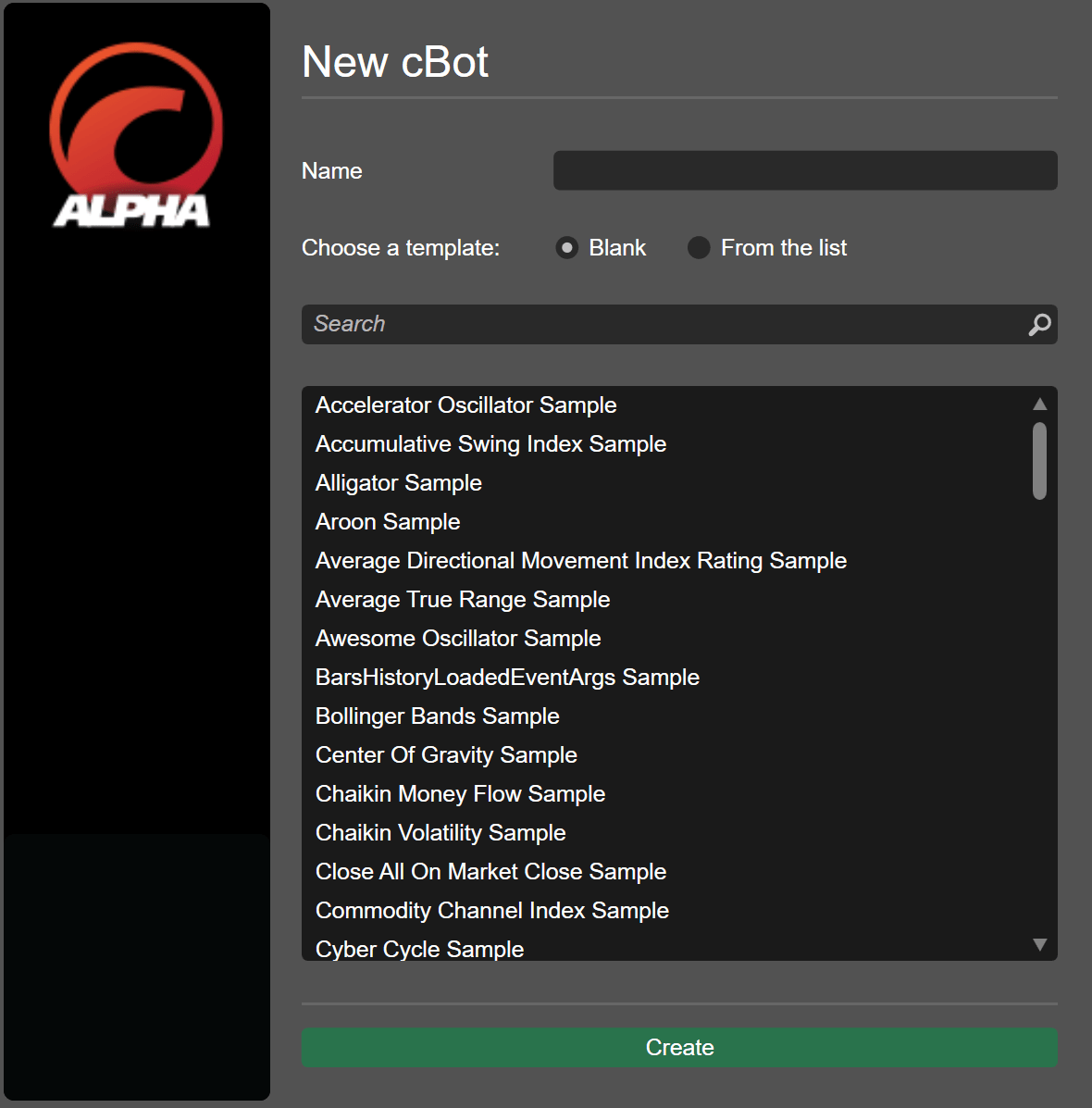
- Run backtesting to validate performance
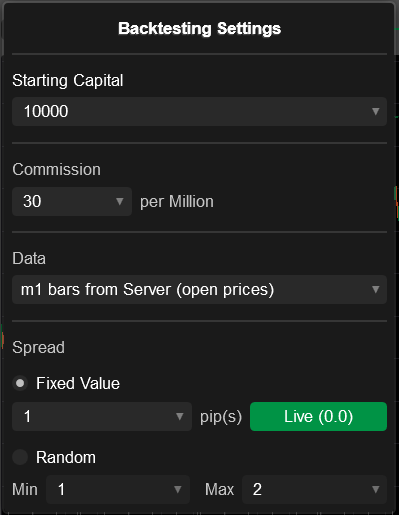
- Click "Start cBot" and choose local or cloud execution.
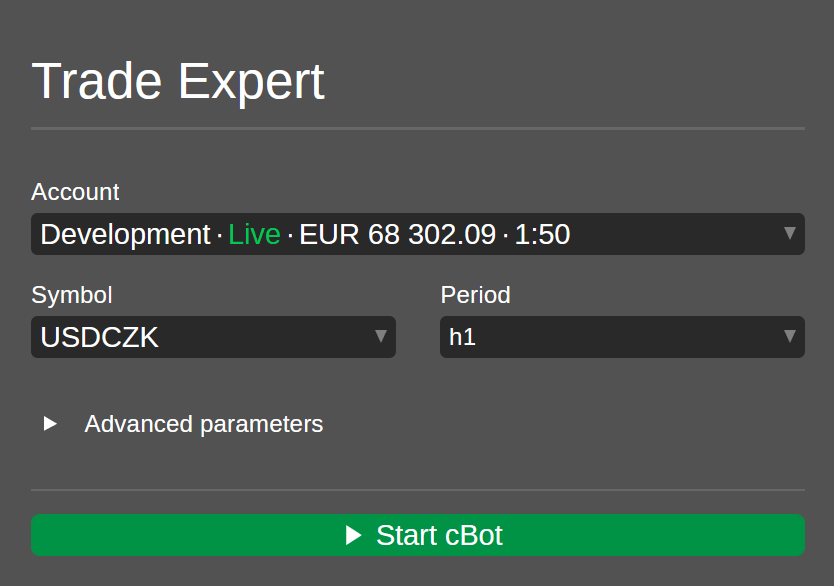
- Once launched, cloud-based cBots operate continuously without device dependency.
Frequently Asked Questions on cTrader 5.0 from IC Markets
Who can access cTrader 5.0 at IC Markets?
All IC Markets clients. Simply open a demo or live account — the update installs automatically.
Why choose cTrader over other platforms?
- Clean, intuitive interface
- Highly customizable charting
- Robust algo trading with cloud deployment
- Full cross-platform compatibility
Is cTrader 5.0 beginner-friendly?
Yes. The interface is designed for easy navigation, while features like copy trading and prebuilt cBots help new traders get started.
How many cBots can run in the cloud?
- Demo accounts: up to 1 cBot
- Live accounts: up to 10 simultaneous cBots
The Bottom Line
cTrader 5.0 represents a significant leap in trading technology — blending institutional-grade automation, cloud execution, and user-focused design into a single ecosystem. With IC Markets among the first brokers to deploy the upgrade, its clients gain early access to tools shaping the next phase of algorithmic and community-driven trading.
For traders looking to scale beyond manual execution and into systematic strategy deployment, cTrader 5.0 is more than an update — it’s a transformation.